Form 16 Demystified: Complete Guide for Indian Salaried Employees
Jaspal Singh
Author
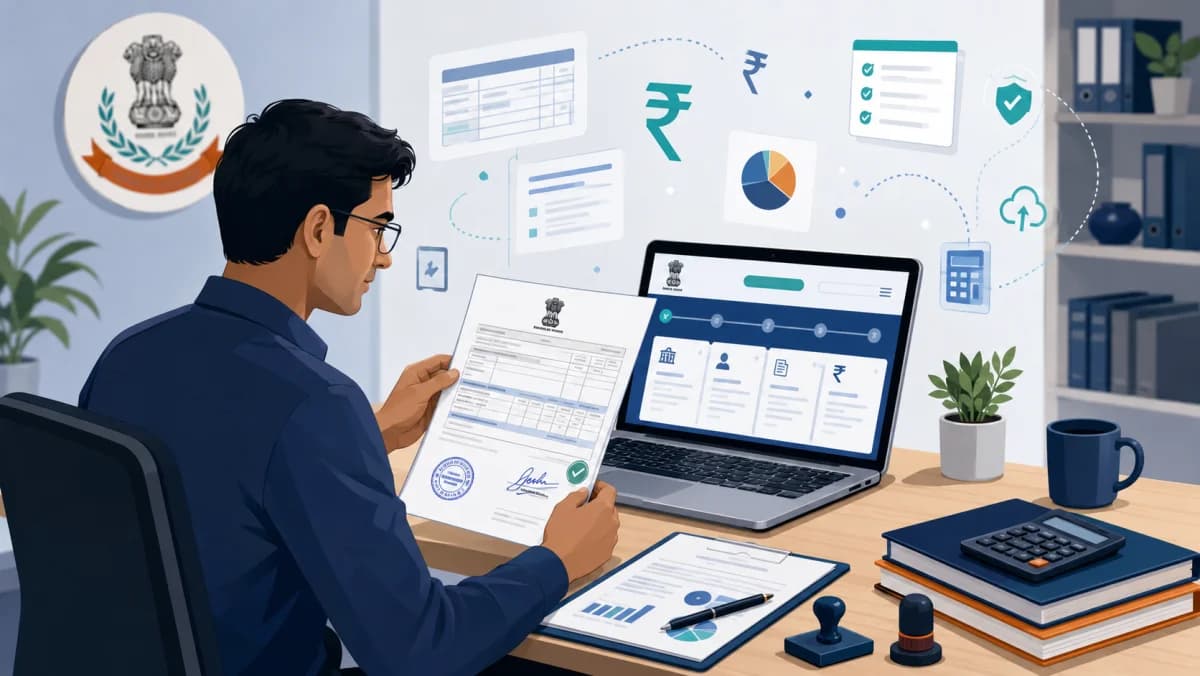
Every June, around 8 crore salaried Indians receive a document called Form 16 from their employer — and most of them have no idea what it actually contains, why TDS amounts don't match their tax liability, or how to use it to file ITR correctly. The result: lakhs of taxpayers either pay extra tax they don't owe, or miss refunds they're entitled to, simply because Form 16 looks like a confusing PDF full of section codes.
This guide demystifies Form 16 completely. By the end, you'll understand every field on Part A and Part B, how to read TDS calculations, what to do when numbers don't match, how Form 16 connects to AIS and Form 26AS, and how to file ITR using Form 16 in 15 minutes. Whether you're a first-time filer or a seasoned employee with multiple Form 16s from job changes, this guide has you covered.
Last updated: 9 May 2026
What is Form 16?
Form 16 is a TDS certificate issued by your employer that summarizes your salary income for the financial year and the tax deducted at source (TDS). It's the most important document for salaried employees because it serves as proof of tax payment and forms the foundation for filing your Income Tax Return (ITR).
Under Section 203 of the Income Tax Act, every employer who deducts TDS on salary must issue Form 16 to the employee by 15 June of the assessment year (e.g., by 15 June 2027 for FY 2026-27). The form is generated through the TRACES (TDS Reconciliation Analysis and Correction Enabling System) portal of the Income Tax Department, which guarantees authenticity.
Even if your annual salary is below the basic exemption limit and no TDS was deducted, you may still receive Form 16 if your employer chose to issue it. Some employers issue Form 16 only when TDS was deducted; others issue it for all employees regardless. If you don't receive Form 16 and TDS was deducted on your salary, you have the legal right to demand it from your employer.
Form 16 Structure: Part A and Part B Explained
Form 16 has two distinct parts, each serving a different purpose:
Part A: TDS Summary
Generated automatically from the TRACES portal, Part A is a digitally-signed certificate containing:
- Employer's TAN (Tax Deduction Account Number) and PAN
- Employee's PAN, name, and address
- Period of employment in the financial year
- Quarterly summary of salary paid and TDS deducted
- Receipt numbers of TDS challans
- Assessment year
Part A is the legal proof that TDS has been deposited with the government on your behalf. Without TRACES-generated Part A, the document isn't valid Form 16.
Part B: Salary Breakup and Tax Computation
Part B is the detailed tax calculation showing:
- Gross salary breakup (basic, HRA, allowances, perquisites)
- Exemptions claimed under Section 10 (HRA, LTA, etc.)
- Standard deduction (₹50,000 Old Regime / ₹75,000 New Regime)
- Income from salaries (taxable salary)
- Other income reported by you to employer
- Deductions under Chapter VI-A (80C, 80D, 80E, etc.)
- Total taxable income
- Tax calculation slab-wise
- Tax payable and TDS deducted
Part B is what you actually need to file your ITR — it shows exactly how much tax was calculated and deducted, broken down section by section.

Reading Form 16 Part A: TDS Details Section by Section
1. Employer Details
Top of Part A shows your employer's name, address, TAN, and PAN. The TAN is the Tax Deduction Account Number — a 10-digit code unique to each employer for TDS purposes. Verify the TAN matches what's in your salary slips and Form 26AS.
2. Employee Details
Your name, address, PAN, and the period of employment in the financial year. If you joined or left mid-year, this section shows the partial period. This matters when you change jobs — you'll have separate Form 16s for each employer.
3. Quarterly TDS Summary
The most important table in Part A. It shows TDS deducted in each quarter (Q1: April-June, Q2: July-September, Q3: October-December, Q4: January-March) along with:
- Receipt number of the quarterly TDS return filed by employer
- Amount of salary paid in the quarter
- TDS deducted
- Surcharge and cess components
The total of all four quarters equals total TDS for the year. This number must match Form 26AS exactly.
4. Receipt Numbers
Each TDS deposit by your employer generates a unique receipt number from TRACES. These receipt numbers prove that the TDS deducted from your salary was actually deposited with the government. Mismatch between Form 16 and 26AS receipt numbers usually indicates employer error in TDS filing.
Reading Form 16 Part B: Detailed Tax Computation
1. Gross Salary
Total salary paid before any deductions or exemptions. Includes:
- Basic salary
- House Rent Allowance (HRA)
- Leave Travel Allowance (LTA)
- Special allowances
- Bonus / variable pay
- Reimbursements (taxable portion)
- Perquisites (company car, ESOPs at exercise, etc.)
2. Allowances Exempt Under Section 10
Specific allowances that are exempt from tax. The most common ones:
- HRA exemption under Section 10(13A) — least of: actual HRA / 50% of basic (40% non-metro) / actual rent paid - 10% of basic
- Conveyance allowance (₹19,200/year for handicapped employees)
- LTA for one journey in a 4-year block
- Medical reimbursements (specific to certain employee categories)
Important: HRA exemption applies only under the Old Tax Regime. Under the New Regime (default from FY26-27), HRA is fully taxable.
3. Standard Deduction
Auto-applied flat deduction:
- Old Regime: ₹50,000
- New Regime: ₹75,000 (raised from ₹50K in Budget 2024)
4. Income Chargeable Under Salaries
= Gross Salary − Section 10 Exemptions − Standard Deduction. This is the taxable salary income that flows into your total income.
5. Other Income Reported to Employer
If you submitted Form 12BB declaring other income (FD interest, rent, etc.), it appears here. Most employees don't declare other income to employers — they include it directly when filing ITR.
6. Deductions Under Chapter VI-A
The big tax-saving section. Form 16 lists deductions you submitted proofs for:
- 80C — PPF, ELSS, EPF, life insurance, home loan principal (max ₹1.5L)
- 80CCD(1B) — additional NPS contribution (max ₹50K)
- 80CCD(2) — employer NPS contribution (no limit)
- 80D — health insurance premiums
- 80E — education loan interest
- 80G — donations to charitable institutions
- 24(b) — home loan interest (max ₹2L for self-occupied)
Note: Most of these deductions only apply under the Old Tax Regime. Under the New Regime, only 80CCD(2) (employer NPS) is allowed.
7. Total Taxable Income
= Salary Income + Other Income − Chapter VI-A Deductions. This is the amount on which tax is calculated.
8. Tax Calculation
Slab-wise tax calculation based on the regime your employer applied (Old or New). Adds up to:
- Tax on slab
- Surcharge (10% above ₹50L, 15% above ₹1Cr, 25% above ₹2Cr — capped at 25% under New Regime)
- Health and Education Cess (4%)
9. Relief Under Section 89
If you received salary arrears or advance, this section shows tax relief calculated on the back-dated portion. Section 89 relief reduces hardship of paying high taxes on lump-sum arrears in the receipt year.
10. Tax Payable / Refundable
The bottom line: Total Tax − TDS Deducted. Positive number means you owe more tax (pay before filing ITR). Negative number means you'll get a refund. Zero means perfect balance.

Form 16 vs Form 16A vs Form 16B: The Differences
| Form | Purpose | Issued By | For |
|---|---|---|---|
| Form 16 | TDS on salary | Employer | Salaried employees |
| Form 16A | TDS on non-salary (FD interest, rent, professional fees) | Bank, tenant, client | Anyone with non-salary income |
| Form 16B | TDS on property sale (1% deducted by buyer) | Property buyer | Property seller |
| Form 16C | TDS on rent (5% deducted by tenant if rent > ₹50K/month) | Tenant | Property landlord |
| Form 16D | TDS on payments to contractors | Payer | Contractor |
Most salaried employees deal only with Form 16. If you have an FD with banks, you'll also receive Form 16A every quarter showing TDS on interest. Always cross-check both with Form 26AS when filing ITR.
Form 16 vs Form 26AS vs AIS: How They Connect
Three documents work together for tax filing — and understanding their relationship is critical:
| Document | What It Shows | Source |
|---|---|---|
| Form 16 | Employer's view: salary + TDS | Generated by employer |
| Form 26AS | Government's view: all TDS, advance tax, refund history | Auto-generated from TRACES |
| AIS (Annual Information Statement) | Comprehensive view: salary, TDS, FD interest, dividends, capital gains, savings interest, foreign remittances | Auto-aggregated by IT Department |
Filing rule: All three must reconcile. If Form 16 shows TDS of ₹50,000 but Form 26AS shows ₹45,000, your employer may have under-deposited or filed late. AIS captures broader income (FD interest you forgot, mutual fund dividends, etc.) that Form 16 doesn't show — making AIS the most comprehensive single source.
Always download all three from incometax.gov.in before filing ITR. Reconcile discrepancies first, then file. Use our Income Tax Calculator to estimate your liability under both regimes.
How to Read Form 16: A Worked Example
Scenario: Priya works at a Bengaluru tech company. Her FY 2026-27 Form 16 shows:
| Item | Amount |
|---|---|
| Gross Salary | ₹15,00,000 |
| Less: HRA Exemption (Old Regime) | ₹2,40,000 |
| Less: Standard Deduction (Old Regime) | ₹50,000 |
| Income from Salaries | ₹12,10,000 |
| Less: Section 80C (PPF + ELSS) | ₹1,50,000 |
| Less: Section 80CCD(1B) (NPS) | ₹50,000 |
| Less: Section 80D (Health Insurance) | ₹25,000 |
| Less: Section 24(b) (Home Loan Interest) | ₹2,00,000 |
| Total Deductions | ₹4,25,000 |
| Total Taxable Income | ₹7,85,000 |
Tax Calculation (Old Regime):
- Up to ₹2.5L: ₹0
- ₹2.5L-5L (5%): ₹12,500
- ₹5L-7.85L (20%): ₹57,000
- Subtotal: ₹69,500
- + 4% Health and Education Cess: ₹2,780
- Total Tax: ₹72,280
Priya's Form 16 shows ₹72,280 as total tax. Her employer deducted ₹70,000 in TDS. So she owes ₹2,280 additional when filing ITR.
Compare with New Regime: at ₹15L gross with ₹75K standard deduction, total taxable income is ₹14.25L. Tax under New Regime: ₹1,32,500 + 4% cess = ₹1,37,800 — much higher than Old Regime in Priya's case because of her ₹4.25L deductions. Old Regime saves her ₹65,520. Always run both calculations.
What to Do If Numbers Don't Match
The most common issue: numbers in Form 16 don't match Form 26AS or AIS. Here's how to handle each scenario:
Form 16 TDS Higher Than Form 26AS
This means your employer deducted TDS but didn't deposit the full amount to the government. Action: contact employer's HR/finance team immediately. If unresolved, file complaint on the IT Department portal under "Employer TDS not deposited" category. You're not liable — pursue your employer.
Form 16 TDS Lower Than Form 26AS
Rare but indicates duplicate TDS or employer error. Use Form 26AS figures for ITR (it's the official record). Contact employer to issue corrected Form 16.
Salary in Form 16 Different From Salary Slips
Annual gross salary in Form 16 should match the sum of monthly salary slips. Difference usually occurs due to:
- Variable bonus paid in March (employer adds it to FY's gross salary)
- Perquisites valued in Form 16 (company car, ESOP exercise) that don't appear in monthly slips
- Reimbursements treated as taxable in Form 16 but reimbursed separately
Ask HR for clarification — most differences have legitimate explanations.
Multiple Form 16s From Job Changes
If you changed jobs during the year, you'll have one Form 16 from each employer covering different periods. Sum gross salary, sum TDS, and combine all deductions when filing ITR. Important: each employer treats your annual salary in isolation — leading to under-deduction of TDS overall (your second employer may have deducted lower TDS assuming you only have that job's income).
To prevent this, when joining a new job mid-year, share Form 12B (declaration of previous employer's salary and TDS) with your new employer. This ensures correct TDS for the rest of the year.
Form 16 for First-Time Filers: ITR-1 Workflow
If you have salary income only (and possibly some FD interest below ₹50K), you can file ITR-1 (Sahaj). The 7-step workflow using Form 16:
- Log into incometax.gov.in with your PAN as user ID
- Pre-fill data: The portal auto-fills salary income from your AIS — verify this matches Form 16
- Enter Form 16 Part B amounts: Gross salary, HRA exemption, standard deduction, deductions under Section 80C/80D/etc.
- Add other income from AIS — savings interest, FD interest, dividends
- Verify TDS: Pre-fill should show TDS from Form 26AS — match with Form 16 totals
- Choose tax regime (Old vs New) — system calculates tax under chosen regime
- Pay outstanding tax or claim refund: If you owe more, pay via "e-pay tax" before submitting. If refund is due, enter bank account for direct credit.
The whole process takes 15-30 minutes if you have Form 16, AIS, and Form 26AS open in different tabs. ITR is e-verified instantly via Aadhaar OTP, net banking, or DSC.
Form 16 Common Confusions Cleared
1. "I have no Form 16 because my salary is below taxable limit"
Even if no TDS was deducted, your employer can still issue Form 16 (Part B only, since there's no TDS to certify in Part A). If your annual gross salary is below ₹2.5L (Old Regime) or ₹3L (New Regime), Form 16 is optional. But always ask — many employers issue it regardless for record-keeping.
2. "Form 16 says my income is ₹X but my offer letter says ₹Y"
Offer letters typically show CTC (Cost to Company) — total cost to employer including PF contribution, gratuity, leave encashment. Form 16 shows actual taxable salary, which is lower because PF contribution is deducted before tax calculation. The difference between CTC and Form 16 gross is normal.
3. "Why did employer deduct higher TDS than I expected?"
Employers calculate TDS based on the tax regime you declared at the start of the year. If you declared the Old Regime but didn't submit deduction proofs (PPF, health insurance), TDS is calculated assuming zero deductions — leading to higher TDS. Submit proofs in February-March to reduce TDS in March's salary, or claim refund via ITR.
4. "My company didn't issue Form 16 — what do I do?"
Under Section 272A(2)(g), employers face penalty of ₹100 per day for late issuance of Form 16. File a complaint with the Income Tax Department's PRO (Public Relations Officer) at your local IT office. You can still file ITR using Form 26AS and your salary slips — Form 16 isn't strictly mandatory for filing.

Form 16 Under New Tax Regime (FY 2026-27)
From FY 2026-27, the New Tax Regime is the default. Form 16 issued for this year reflects this change with several differences:
- HRA exemption: Not allowed in New Regime — Form 16 will show full HRA as taxable
- Standard deduction: ₹75,000 (vs ₹50,000 in Old Regime)
- Section 80C, 80D, 80E, 80G, 24(b): Most not allowed under New Regime — Form 16 shows zero deductions in these sections
- Only allowed under New Regime: Standard deduction, employer's NPS contribution under Section 80CCD(2), home loan interest for let-out property
- Section 87A rebate: Tax-free up to ₹7L (vs ₹5L in Old Regime)
Most salaried employees should compare both regimes carefully when filing. The default New Regime saves tax for those without home loans or substantial 80C investments. Old Regime saves tax for those with home loans, big PPF/ELSS investments, and HRA. Use our Income Tax Calculator to model both regimes.
Smart Tips for Maximum Form 16 Benefit
- Submit deduction proofs early (by February): If you wait until March, your employer may have already deducted higher TDS for 11 months. Submit by February so March TDS is adjusted.
- Use Form 12BB to declare other income: If you have FD interest or rental income, declaring via Form 12BB lets your employer adjust TDS — avoiding shock at year-end.
- Get Form 12B from previous employer: Joining a new job mid-year? Get the previous employer to issue Form 12B with year-to-date salary details — share with new employer to prevent under-TDS.
- Verify TRACES authentication: Genuine Form 16 has digital signature from TRACES. Check the bottom of Part A — it must say "This is a system-generated TDS certificate by TRACES" with verification details.
- Save Form 16 PDFs every year: Income Tax Department can scrutinize returns up to 6 years later. Keep all Form 16s in a labeled folder by FY.
- Cross-check with salary slips: Sum all 12 months of salary slips — should equal Form 16 gross salary minus perquisites and bonuses.
- Match TDS quarter-wise: Form 26AS shows quarterly TDS. Your salary slips also show TDS deducted each month. Both must total to Form 16's TDS amount.
Frequently Asked Questions
What is Form 16 used for?
Form 16 is the official TDS certificate issued by your employer that summarizes your annual salary, exemptions, deductions, and tax deducted. It's the primary document used for filing your Income Tax Return (ITR). It also serves as proof of income for visa applications, home loans, and credit card approvals.
By when should employers issue Form 16?
Under Section 203 of the Income Tax Act, employers must issue Form 16 by 15 June of the assessment year. So Form 16 for FY 2026-27 (April 2026 to March 2027) must be issued by 15 June 2027. Late issuance attracts penalty of ₹100/day under Section 272A(2)(g).
Can I file ITR without Form 16?
Yes. Form 16 is helpful but not mandatory for filing ITR. You can use Form 26AS, AIS, and your salary slips to file. However, Form 16 makes the process much easier — it has all the breakup pre-calculated. If your employer hasn't issued Form 16, file using available documents and pursue the employer separately.
What's the difference between Form 16 and Form 16A?
Form 16 is for TDS on salary (issued by employer). Form 16A is for TDS on non-salary income — like FD interest, professional fees, commissions (issued by banks, clients, etc.). If you have multiple income sources, you'll have both forms. Both are needed for accurate ITR filing.
What is Part A and Part B of Form 16?
Part A is the TDS certificate generated from TRACES portal — shows employer's TAN, your PAN, and quarterly TDS deposits. Part B is the detailed tax computation with salary breakup, exemptions, deductions, and tax calculation. Part A proves TDS was deposited; Part B explains how tax was calculated.
Why does my Form 16 show different TDS than Form 26AS?
Mismatch usually means either employer error in TDS filing or late deposit. Form 26AS is the government's official record — always trust 26AS over Form 16 if they differ. Contact your employer to correct the discrepancy. If unresolved, file complaint with IT Department.
Can I get Form 16 if my income is below taxable limit?
Yes, but it's optional. If your salary is below ₹2.5L (Old Regime) or ₹3L (New Regime), there's no TDS to certify, so Part A may be empty or absent. Many employers still issue Form 16 (Part B only) for record-keeping. Ask your HR if you don't receive one.
How do I download Form 16 if my employer hasn't issued it?
You can't download Form 16 directly — it must be generated and issued by your employer. However, you can download Form 26AS from incometax.gov.in (under "Income Tax Forms" or "Authorised Search") which contains TDS information. AIS is also a comprehensive substitute for Form 16 in many cases.
Is Form 16 issued for every year?
Yes — for every financial year that you were employed and TDS was deducted. If you change jobs mid-year, you get a separate Form 16 from each employer for their respective period. Combine all Form 16s and file a single ITR for the year.
Can I claim refund using Form 16?
Yes. If your Form 16 shows TDS deducted is more than your actual tax liability after considering all deductions, you'll claim a refund when filing ITR. Refund typically arrives 30-60 days after ITR processing, directly into the bank account you've registered with the Income Tax Department.
Is Form 16 the same under New and Old Tax Regime?
The structure of Form 16 is the same, but the contents differ based on which regime your employer applied. Old Regime Form 16 shows HRA exemption, 80C, 80D, 24(b) deductions. New Regime Form 16 shows only ₹75K standard deduction and 80CCD(2) employer NPS — most other deductions show zero. Always verify which regime was used.
Official Sources & References
- Income Tax Department – Form 16 and Form 16A — official Form 16 documentation and download instructions
- TRACES – TDS Reconciliation Analysis and Correction Enabling System — Form 16 generation portal used by employers
- Income Tax Filing Portal — file your ITR using Form 16, download Form 26AS and AIS
Disclaimer: This article is for informational purposes only and should not be considered as tax advice. Form 16 rules and tax laws are subject to change as per Income Tax Department notifications. Always verify the latest rules from incometax.gov.in or consult a qualified Chartered Accountant for personalized tax planning.
Written by
Jaspal Singh
Founder & Editor
Personal finance writer helping Indians make smarter money decisions through clear, jargon-free guides on taxes, investments, and budgeting.
Continue Reading

Belated & Revised ITR: Deadlines & Penalties
Missed the ITR deadline or made a mistake? Here's how belated, revised and updated returns work for AY 2026-27 — the dates, the ₹1,000–₹5,000 late fee, and the other penalties.

ELSS Funds: Save Tax + Grow Wealth
ELSS funds give you an 80C tax deduction, a 3-year lock-in and equity-linked returns. Here's how they're taxed, ELSS vs PPF, and whether they still make sense in the new tax regime.

How to Save Tax Beyond Section 80C
Maxed out your ₹1.5 lakh under Section 80C? Save more with 80D, the extra ₹50,000 NPS deduction, home loan interest and more — and see what still works in the new tax regime.